
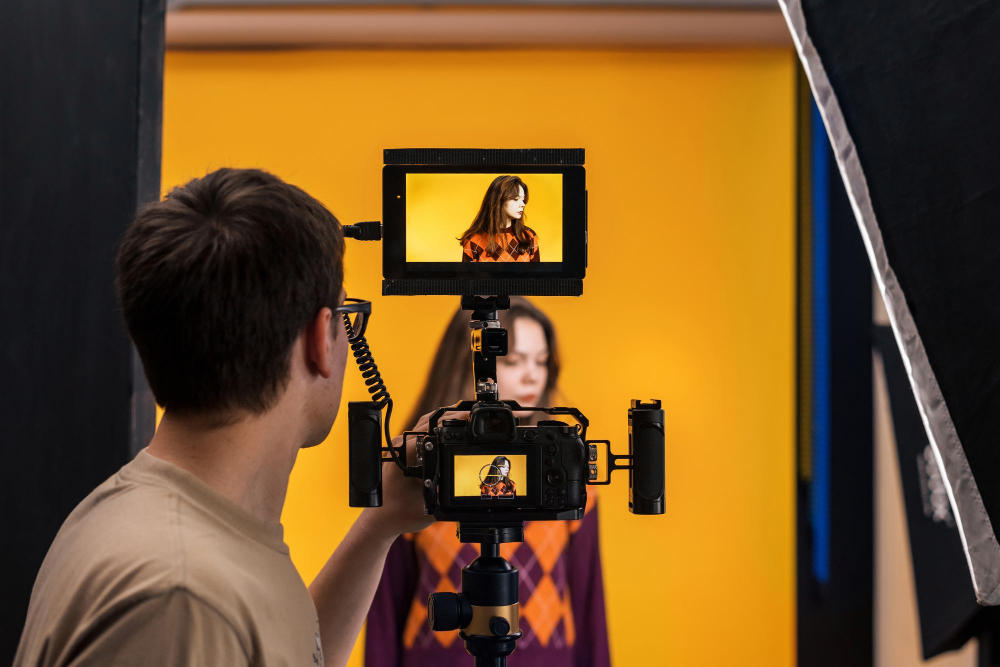
A memorable event is rarely created by one element alone. The stage, lighting, sound, cameras, and audience experience all need to work together in a way that feels natural. This becomes especially important when an event needs to be recorded or shared with people who are not in the room. Good Event Video Production can capture speeches, performances, presentations, and audience reactions, but the final footage depends heavily on what happens on the stage itself. With thoughtful planning, the physical event and the video experience can support each other from beginning to end.
Before thinking about cameras or recording equipment, consider how guests will experience the event in person. Where will speakers stand? Can everyone see the stage clearly? Will presentations appear properly on the screens? These questions help shape the technical setup. A well planned event should look good from the audience perspective while also providing suitable camera angles for recording. When both needs are considered early, there is less chance of having to make difficult changes during the event.
The stage becomes the main visual focus for many conferences, awards nights, product launches, and business gatherings. Its size, position, backdrop, screens, and overall design can influence how the event appears both in person and on camera. A cluttered stage may look distracting in photographs or video, while a simple and organized setup gives presenters a cleaner background. Good staging also provides enough space for speakers, performers, screens, and cameras to operate comfortably.
Lighting is not only about making a venue look attractive. It also plays an important role in video quality. Poor lighting can create dark faces, harsh shadows, or distracting backgrounds that become even more noticeable on camera. Properly positioned lights help presenters remain visible while giving video operators a cleaner image to work with. This is one reason event organizers should consider event staging and lighting Christchurch requirements alongside their video plans rather than treating each service as a separate task.
Camera placement can affect the audience as well as the final video. Cameras need clear views of speakers without blocking guests or creating distractions. A wide camera can show the full stage, while closer angles can capture expressions and important details. If the event includes presentations or demonstrations, the production team may also need access to screen feeds or additional camera positions. Discussing these requirements during the planning stage makes the final setup much easier to manage.
People watching an event recording or live broadcast should feel connected to what is happening. Constantly using one wide shot can make an interesting event feel flat, while thoughtful changes between wide, medium, and close views create a more engaging experience. Audience reactions can also add energy to the final video. These details may seem small, but they help remote viewers understand the atmosphere inside the venue.
A rehearsal gives the production team an opportunity to see how staging, lighting, cameras, sound, and presentations work together. Camera operators can check framing, lighting levels, and movement, while presenters can become comfortable with their positions on stage. It also gives technicians time to identify problems with cables, screens, microphones, or presentation files. Even a short technical run through can prevent unnecessary interruptions once the event is underway.
Corporate events often include logos, presentation graphics, branded backdrops, and sponsor information. These elements should appear clearly without taking over the visual experience. A well positioned backdrop or screen can provide useful branding in both photographs and video, while poorly placed graphics can become distracting. Planning where branding appears helps create footage that feels professional without looking overly staged.
The most useful event footage often includes more than speeches. Short clips of guests arriving, networking, audience reactions, demonstrations, and behind the scenes preparation can tell a much fuller story. These moments can later become highlights for social media, internal communications, websites, or future event promotion. Thinking about the content beyond the main program can make the video much more valuable after the event has finished.
Great event video begins long before the cameras start recording. Staging, lighting, sound, screen placement, and camera positions all influence how an event looks and feels on screen. When these elements receive attention during the planning stage, presenters can perform with confidence and audiences can enjoy a comfortable experience without unnecessary distractions. The strongest event productions do not make technology the focus. Instead, they use it quietly in the background to capture the people, ideas, and moments that make the occasion worth remembering.
Leave a Reply